
Tasks
The next thing somebody has to do, written down
A task carries a due date, a person, and the contact, company, lead or deal it belongs to. Follow-up stops depending on memory.
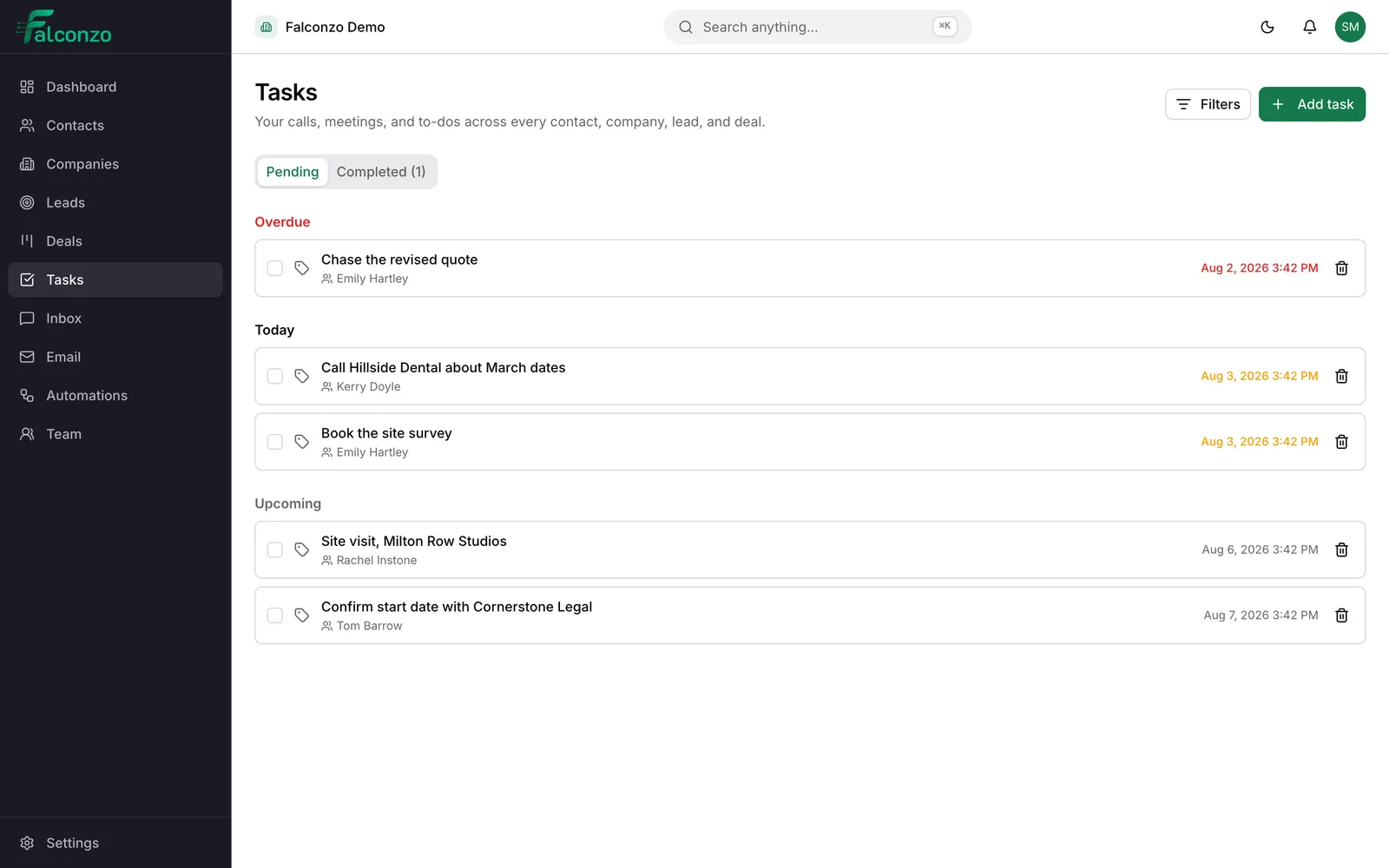
Most lost work is not lost, it is forgotten
The gap between meaning to follow up and actually doing it is where small businesses leak money.
A quote goes out on Thursday. The customer says they will look at it over the weekend. Nobody writes anything down. Three weeks later somebody wonders, vaguely, what happened to that job.
Tasks fix one small and specific thing. They turn "I will chase them next week" into a dated item with a name on it. That is the whole idea, and it is why they earn their place more than most features do.
Because a task is attached to a record, whoever picks it up has the context. They are not reading a line in a to-do list that says call back. They are looking at the deal, the quote and the last three notes.
What a task holds
Deliberately simple. A task people avoid filling in is worse than no task.
A title, and room to explain
Something short for the list, and a description underneath for the part that actually matters.
A due date
Give the work a day. A task with no date is a wish, and it will still be a wish next month.
One assignee
A named person is responsible. Work assigned to the whole team is work assigned to nobody in particular.
Task types
Sort work by the kind of thing it is. A call, a site visit, a document to send. Your types, named the way your team names them.
Pending, completed or cancelled
Three honest states. Cancelled is not the same as done, and keeping the difference tells you something later.
Attached to the record it concerns
A task can hang off a contact, a company, a lead, a deal, or a record of a type you defined yourself.
How this works day to day
One task, from the end of the phone call to the moment it is closed.
- Dashboard
- Inbox2
- Contacts
- Companies
- Deals
- Reports
- Settings
Emily Hartley
Contact · new task
New task
Chase the revised quote
Description — what a colleague would need to pick this up
Automation
Some tasks should not need creating by hand
Routine follow-up is exactly the sort of thing people intend to do and then do not. It is also exactly the sort of thing a rule can handle.
Because a workflow can run when a record is created or updated, when a lead form is submitted, or when an email arrives or fails to deliver, Falconzo can schedule the follow-up work itself. The new enquiry gets its first call task without anybody thinking about it.
- Triggers on record changes, lead form submissions and email events
- Steps that create and update records and schedule follow-up work
- The task still lands on a person, with a date, like any other
On the record
Promises stay attached to the customer
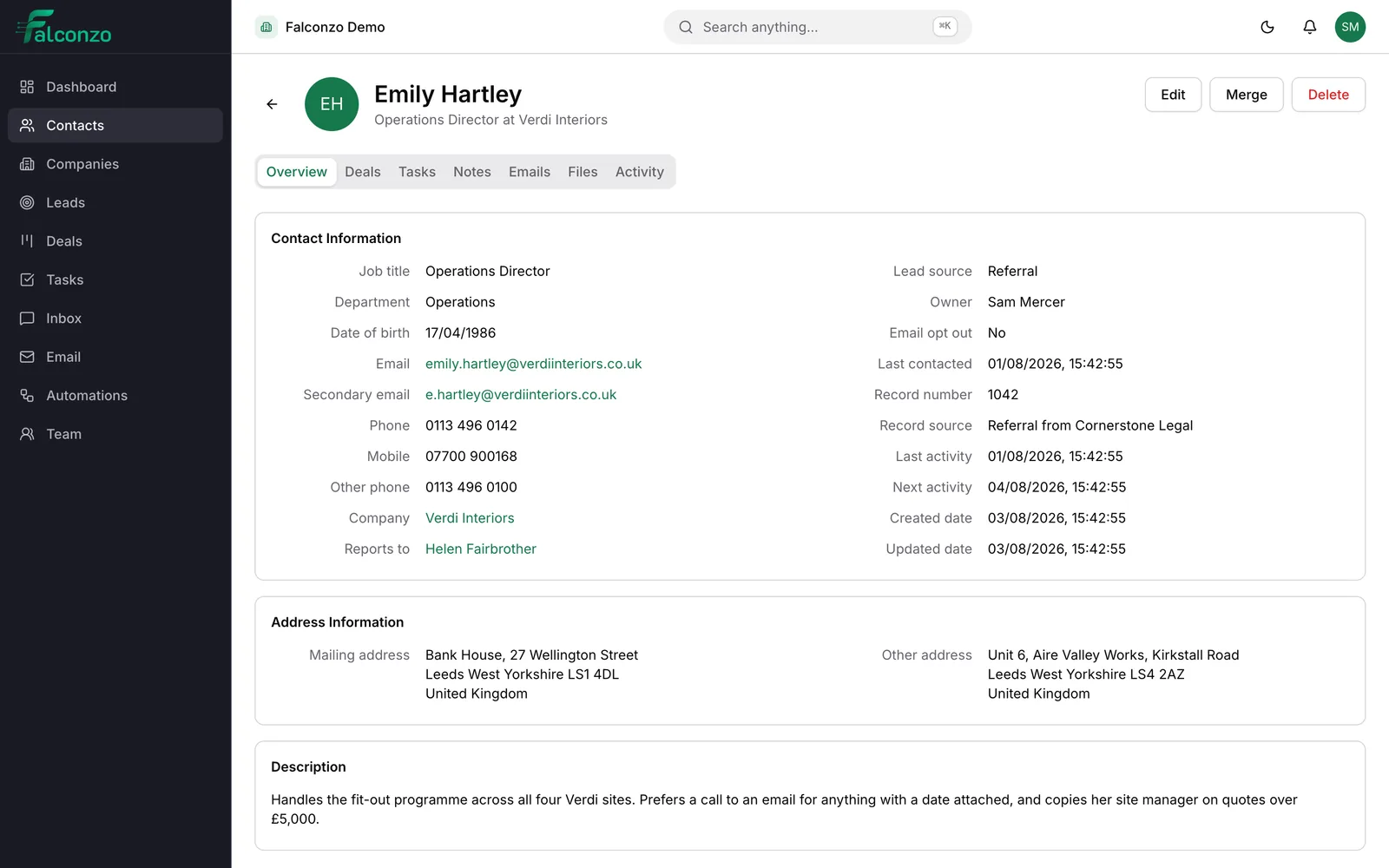
Because tasks live on records rather than in a separate app, the outstanding work is visible to anyone who opens the customer. There is no need to ask around before ringing them.
Completed tasks stay as part of the history, alongside the notes and the files. Six months on, you can see that the call was made, when, and by whom.
What you end up with
Fewer quotes going quiet. Most work that slips away does not go to a competitor, it simply stops being chased, and a dated task with a name on it is the cheapest fix there is.
It also makes cover possible. When somebody is on holiday, their outstanding work is a visible list rather than a private worry, and a colleague can pick it up knowing what was already agreed.
Make follow-up something you can see
Book a walkthrough and we will show you tasks on real records, including the ones that create themselves when an enquiry arrives.
Tasks touch almost everything
They are the smallest record in Falconzo and the one that keeps the rest moving.
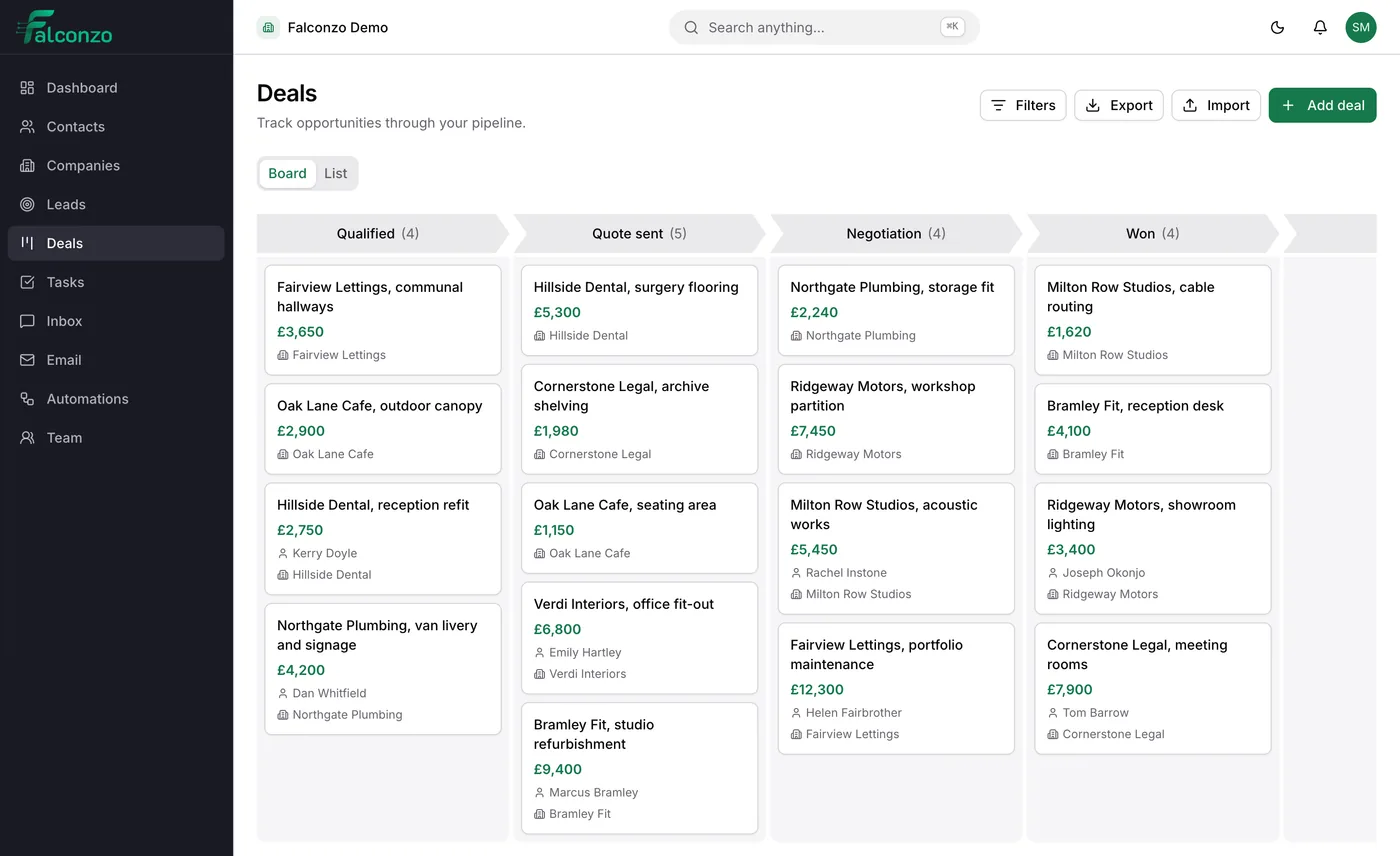
- Deals should always have a next step with a date against it.
- Contacts and companies carry the promises you made to the customer.
- Leads need a first call booked in before the enquiry goes cold.
- Automations create the routine ones for you.