
Companies
The organisation behind the person
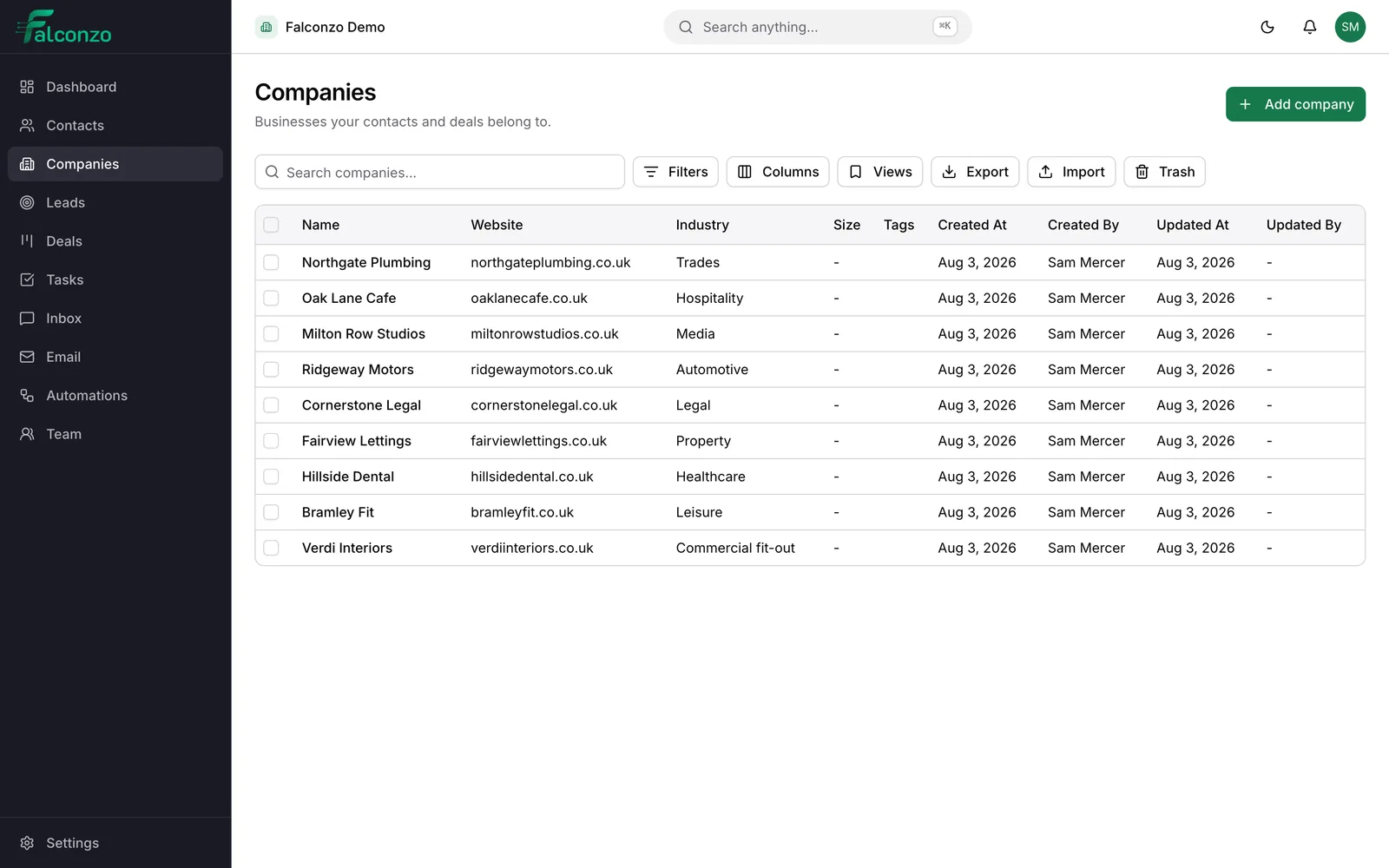
One record for the customer as a whole: the people you deal with there, the work in progress, and the details your team keeps having to ask for.
You sell to a person, but you deal with a company
Most accounts involve several people, and none of them stay forever.
An office fit-out supplier deals with a facilities manager who wants the work, a finance contact who approves the invoice, and a receptionist who arranges access on the day. Three contacts, one customer. In a plain address book they sit there as three strangers.
Grouping people under a company answers questions a contact list cannot. Who else do we know there? What did we quote them last year? Who covers this account while the usual salesperson is on leave?
It matters most when your main contact moves on. The record of the relationship stays with the company instead of leaving with them, and their replacement becomes another name on an account you already understand.
What a company record gives you
The details, in one place
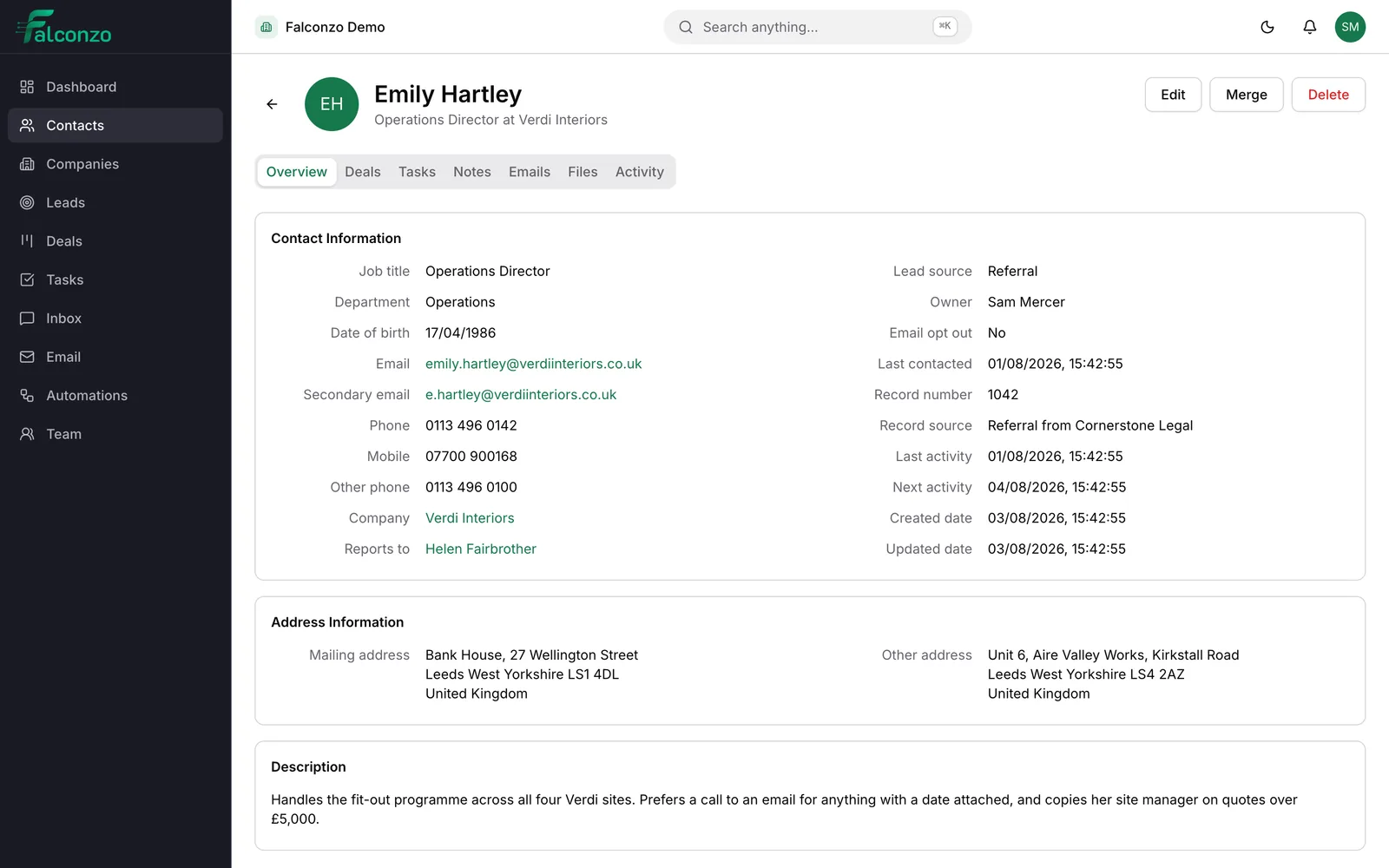
Name, web domain, phone number, postal address, and the person who owns the account and answers for it.
Everyone you know there
Contacts linked to the company are listed on it with their job titles, so you can see the whole relationship at a glance.
Groups and subsidiaries
Point a company at its parent. A holding company with three trading brands stays one relationship instead of three unconnected records.
The work in progress
Deals carry the company they belong to, so the record shows what is open now and what was won or lost before.
Tags for the way you segment
Label companies by sector, region, size or service plan, then save the view you keep coming back to.
Fields you define
Add what every account in your business needs: account number, contract renewal month, preferred courier, agreed response time.
Setting a company up properly
Five minutes at the start saves an argument about who the customer actually is later.
Create the company
Add the name and the web domain. The domain earns its place: it is how Falconzo recognises that an email came from somebody who works there.
Add the people
Link the contacts you already have, or create new ones from the company. Each keeps their own job title, direct line and history.
Set an owner
One person answers for the account. Tag the company so it appears in the lists your team actually works from.
Record what makes this account different
Fill in the custom fields your business relies on. The renewal month, the purchase order rules, the site that always needs two engineers.
Link it upwards if it belongs to a group
Set the parent company where one exists, so a conversation with head office and a job for one branch are visibly part of the same relationship.
Work from the company page
Open it to see the people, the deals, the notes, the files and the tasks still outstanding, without opening six records to assemble the picture.
Email matching
Careful about which account a message belongs to
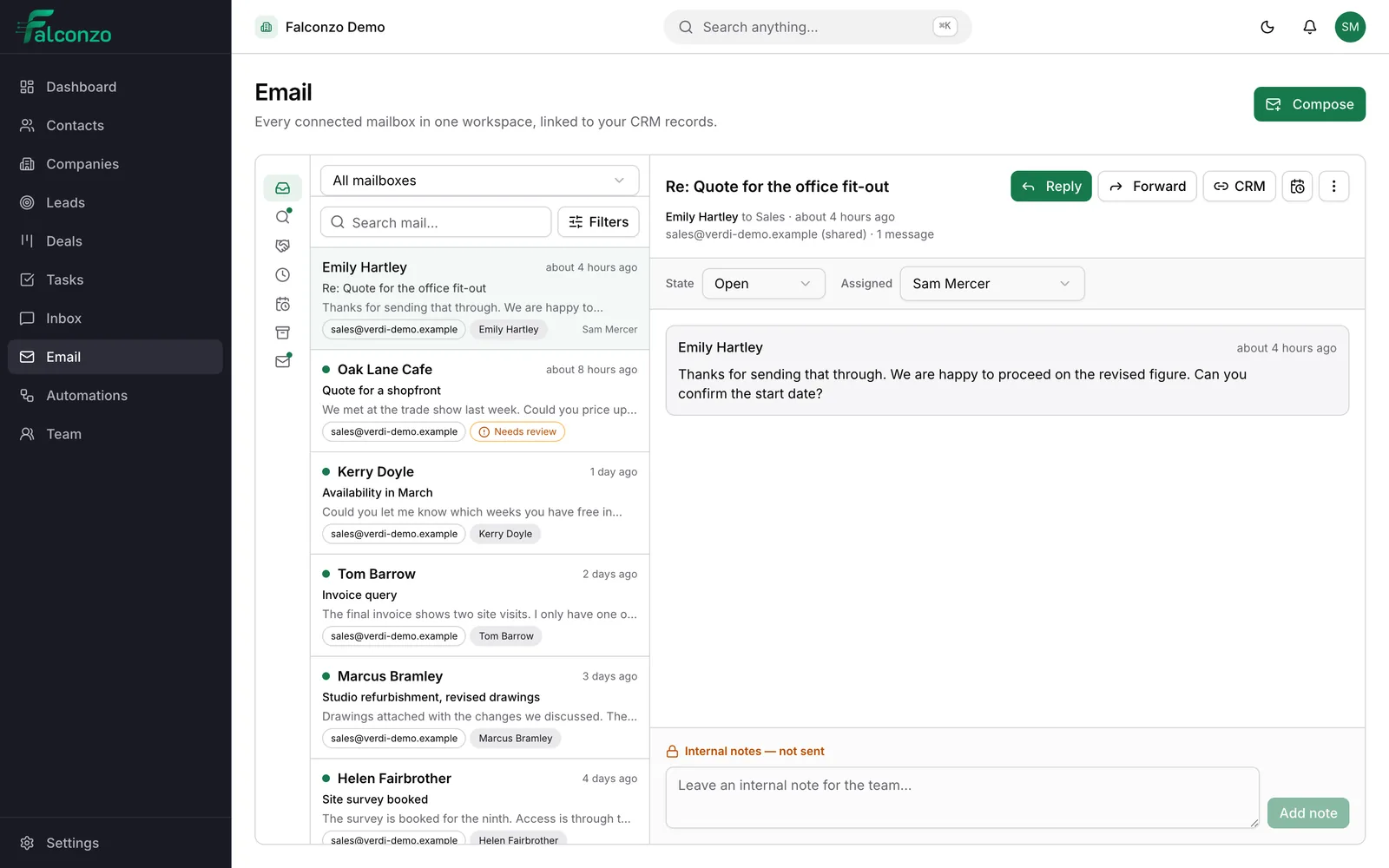
Falconzo matches email threads to CRM records by address. When one address matches one record exactly, the link is made for you.
A match on web domain alone is treated differently. It is always offered as a suggestion for a person to confirm or dismiss, never applied automatically, because sharing a domain is weaker evidence than it looks and a wrongly filed conversation is hard to notice and worse to undo.
- Exact address matches linked automatically
- Domain matches offered as suggestions, confirmed by a person
- Anything you mark as not CRM-related stays out of the way
Housekeeping
One company, not four spellings of it
Left alone, every customer list ends up with the limited company, the trading name, the one with the typo, and the one somebody created because they could not find the other three.
Falconzo flags likely duplicates and gives you a merge screen to combine them into a single record. Import brings your existing list in from a CSV file, export takes it back out, and the audit log records who changed what along the way.
What you end up with
A customer list organised the way you talk about customers: by the business, with the people underneath it.
Anyone can open an account and see who you know there, what is open, what you charged last time and who has been looking after it. That is usually the difference between a confident phone call and a cautious one.
See how your accounts would look
Book a walkthrough and we will map a handful of your real customers, groups and all, so you can judge it on your own data.
What connects to companies
A company record is only as good as the things attached to it.
- Contacts are the people who work there, each with their own details and history.
- Deals record the work you are trying to win from the account, and what it is worth.
- Custom fields hold the account details specific to how your business runs.
- Email brings the conversations with the company into the same place as its record.