
A CRM that works for you
Your customer records, your mailbox and your WhatsApp, Messenger and Instagram conversations, in one place. Falconzo links each conversation to the customer it belongs to and takes the routine follow-up off your desk.
Connects to the tools your customers already message you on
- GmailEmail
- Microsoft 365Email
- Zoho MailEmail
- Yahoo MailEmail
- IMAPAny mailbox
- WhatsAppMessaging
- MessengerMessaging
- InstagramMessaging








What you get
Four things that change the day
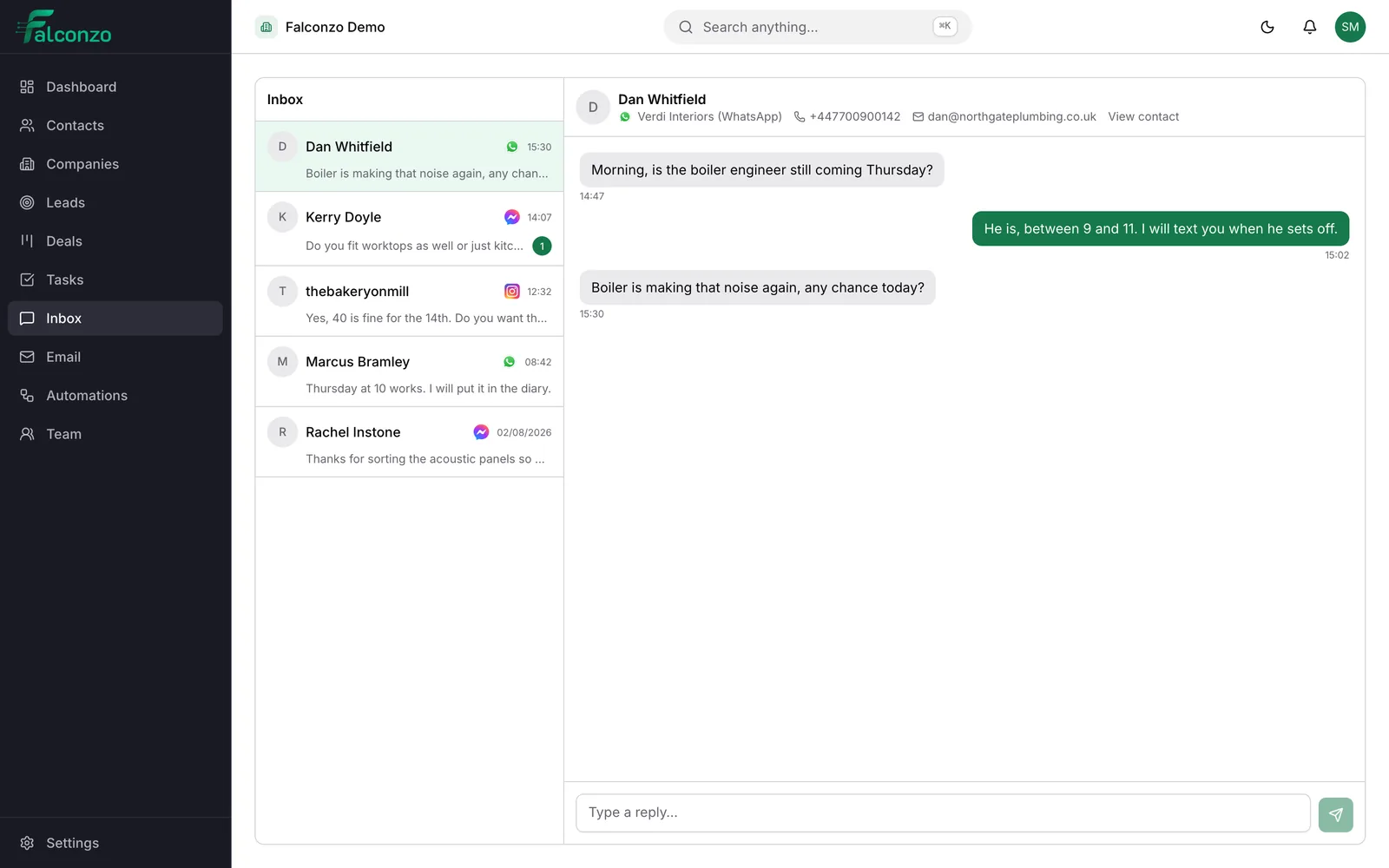
Every channel, one queue
Email, WhatsApp, Messenger and Instagram arrive in the same place.
Shared inboxEmily Hartley
Verdi Interiors
Tied to the right customer
Conversations attach to the contact or deal they belong to.
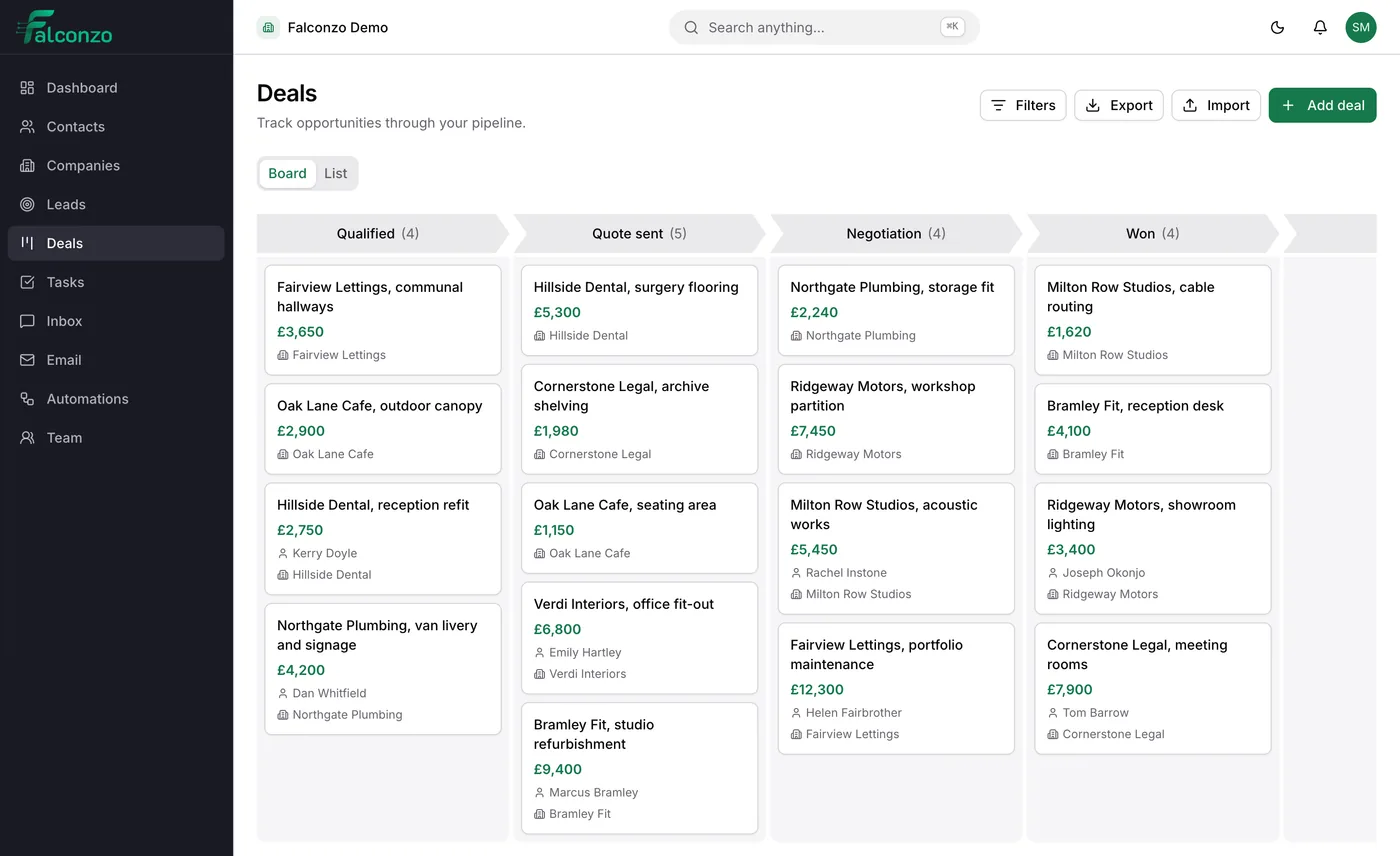
Email workspaceBramley Fit
£9,400
Oak Lane Cafe
£1,150
Fairview Lettings
£12,300
Ridgeway Motors
£3,400
A pipeline you can read
See what is open, what is quoted and what is close to closing.
Deals and pipelinesFollow-up that happens
The next step is scheduled and visible, not held in someone's head.
TasksStep one
Stop losing enquiries between apps
Most enquiries do not arrive in one place. A customer messages you on WhatsApp because that is where they already had your number, then emails a question, then replies to an Instagram post.
Falconzo puts all of it in one queue with the channel marked, so nothing waits three days because the person who saw it was on holiday.
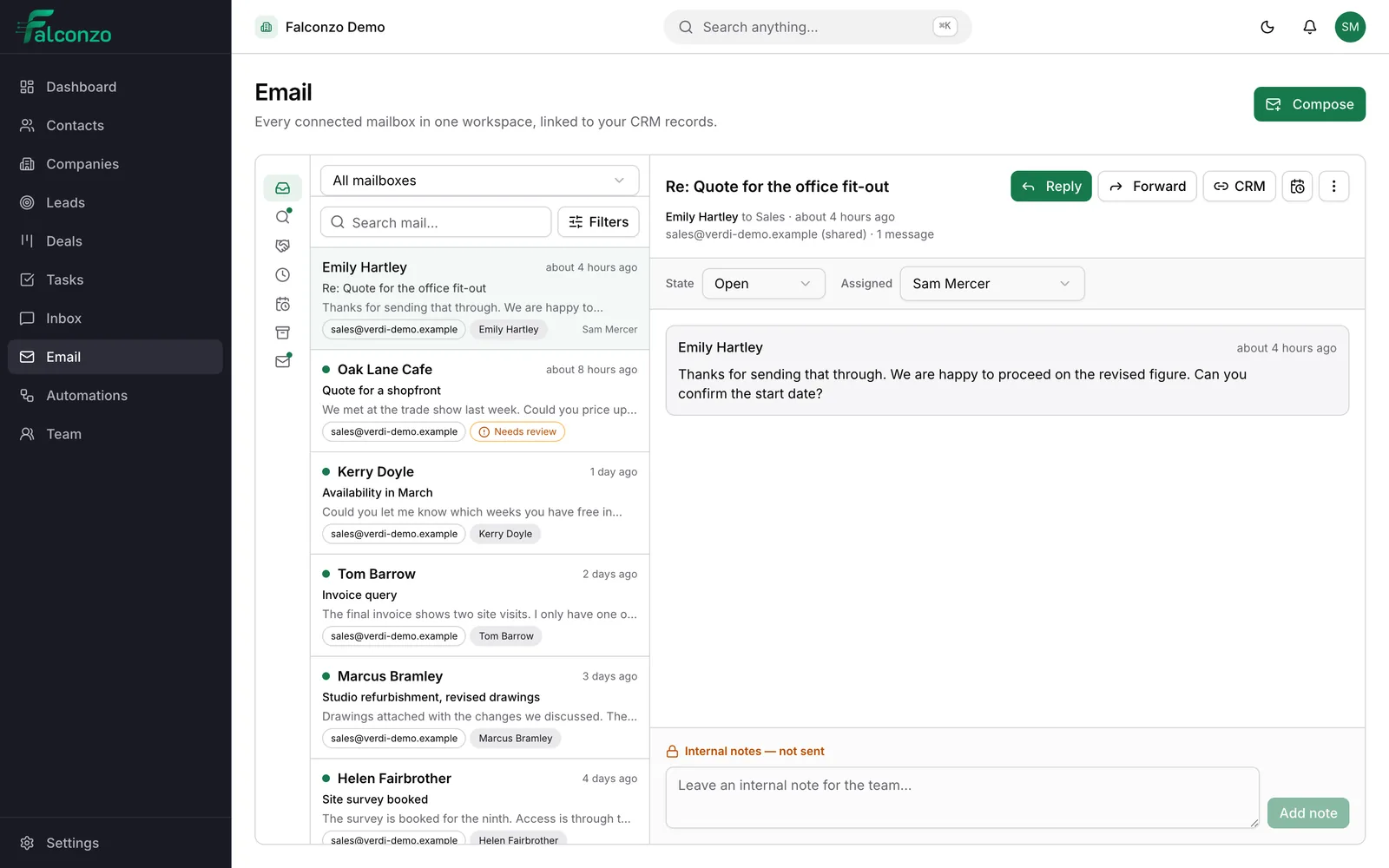
- Personal mailboxes stay private to the person who connected them
- Shared addresses such as sales@ carry an assignee and an open or closed state
- Read and archive are personal, so clearing your view never hides anything from a colleague
Step two
Know who you are talking to before you reply
When a message arrives, Falconzo looks for the person it belongs to. If exactly one contact or lead has that address, the conversation is linked for you.
If two records share it, or a company only matches by web domain, it is offered as a suggestion instead. Someone confirms it in a click. A wrong link is worse than no link, so nothing ambiguous is decided on your behalf.
- Suggestions show why they were proposed, so the decision takes a second
- Mark a thread as not customer related and that address stops being suggested
- A deal is linked on its own only when there is one obvious open deal
Step three
Let the routine follow-up run itself
An automation is a trigger and the steps that follow it. This is where most teams start.
When this happens
A Facebook lead form is submitted
Someone fills in your ad form asking for a quote on a bathroom refit.
Then
Create the lead and assign an owner
The submission becomes a lead record with the answers they gave, assigned to whoever is on enquiries this week.
Then
Schedule the first follow-up
A task is created for the same afternoon, so the enquiry is answered while the customer is still thinking about it.
Automations can also react to email being received, replied to or linked to a record, which is useful for chasing quotes that have gone quiet. See how automations work.
See it with your own process in mind
Book a walkthrough and we will show you how your contacts, your mailbox and your messaging channels would fit together in Falconzo.