
Falconzo CRM
Every customer in one place your whole team can rely on
The people you sell to, the companies they work for, the enquiries you are chasing and the deals you are trying to win, with the conversations attached to each one.
What a CRM actually does for a small business
It replaces the spreadsheet, the shared mailbox, and the memory of whoever happened to answer the phone.
Most small teams do not lose work because they are bad at selling. They lose it because the quote sat in one person's inbox, the follow-up call was never written down, and nobody noticed the customer had gone quiet for three weeks.
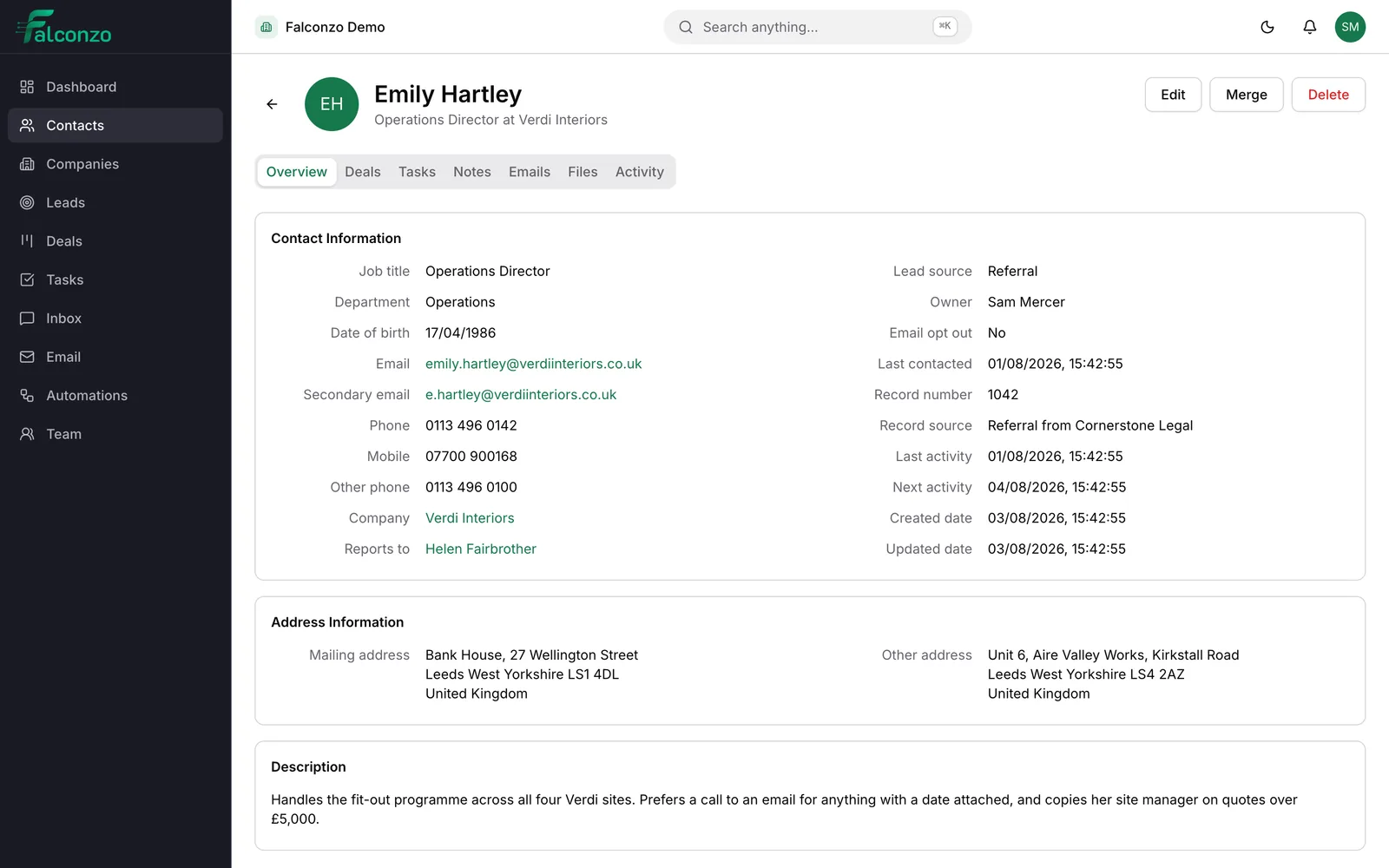
A CRM is a shared, structured record of who you deal with and what you owe them next. Falconzo keeps that record and puts the emails and messages beside it, so the history of a customer is one page rather than four places and somebody's phone.
Everything below belongs to the same system. A contact works at a company, a qualified lead becomes both, a deal sits at a stage in a pipeline, and a task can hang off any of them.
The records at the centre of it
Seven record types that cover how most sales and service businesses work. Each has its own page if you want the detail.
Contacts
The people you actually speak to. Job title, phone numbers, address, who they report to, and every note anyone has left about them.
Companies
The organisation behind the person, with everyone you know there, the group it belongs to and the work in progress.
Leads
New enquiries that are not customers yet. Qualify them, then convert the good ones into a contact, a company and a deal in one step.
Deals
The money on the table. Value, currency, expected close date, and whether the job is open, won or lost.
Pipelines
The stages a deal moves through, named after the steps your business really takes rather than a template you inherited.
Tasks
The next thing someone has to do, with a due date, a named person, and the record it belongs to.
Custom fields
The details the standard boxes do not cover, added to contacts, companies, leads and deals.
How one enquiry moves through Falconzo
A window company gets a call about replacing eight units. This is what happens to it.
An enquiry arrives
Someone submits a form on Facebook, sends a WhatsApp message, or emails the sales address. It becomes a lead in Falconzo with the name, email and phone number that came with it.
Someone picks it up
Give the lead an owner so it is one person's job rather than everyone's. Record where it came from, and move the status to Contacted once they have replied.
Qualify it, or let it go
If there is real work here, mark the lead Qualified. If there is not, mark it Unqualified and say why, so nobody rings them again next month with the same pitch.
Convert it
Converting a qualified lead creates the contact, the company they work for and the deal in one move. Nothing is retyped, and nothing is dropped in the handover.
Work the deal
Put a value and an expected close date on it, then move it through your pipeline stages as things progress. Tasks keep each follow-up dated and owned.
Close it, and keep the history
Mark the deal won or lost. The contact, the company, the emails, the notes and the files stay behind, so the next conversation starts from what already happened.
Conversations
The talking happens where the record is
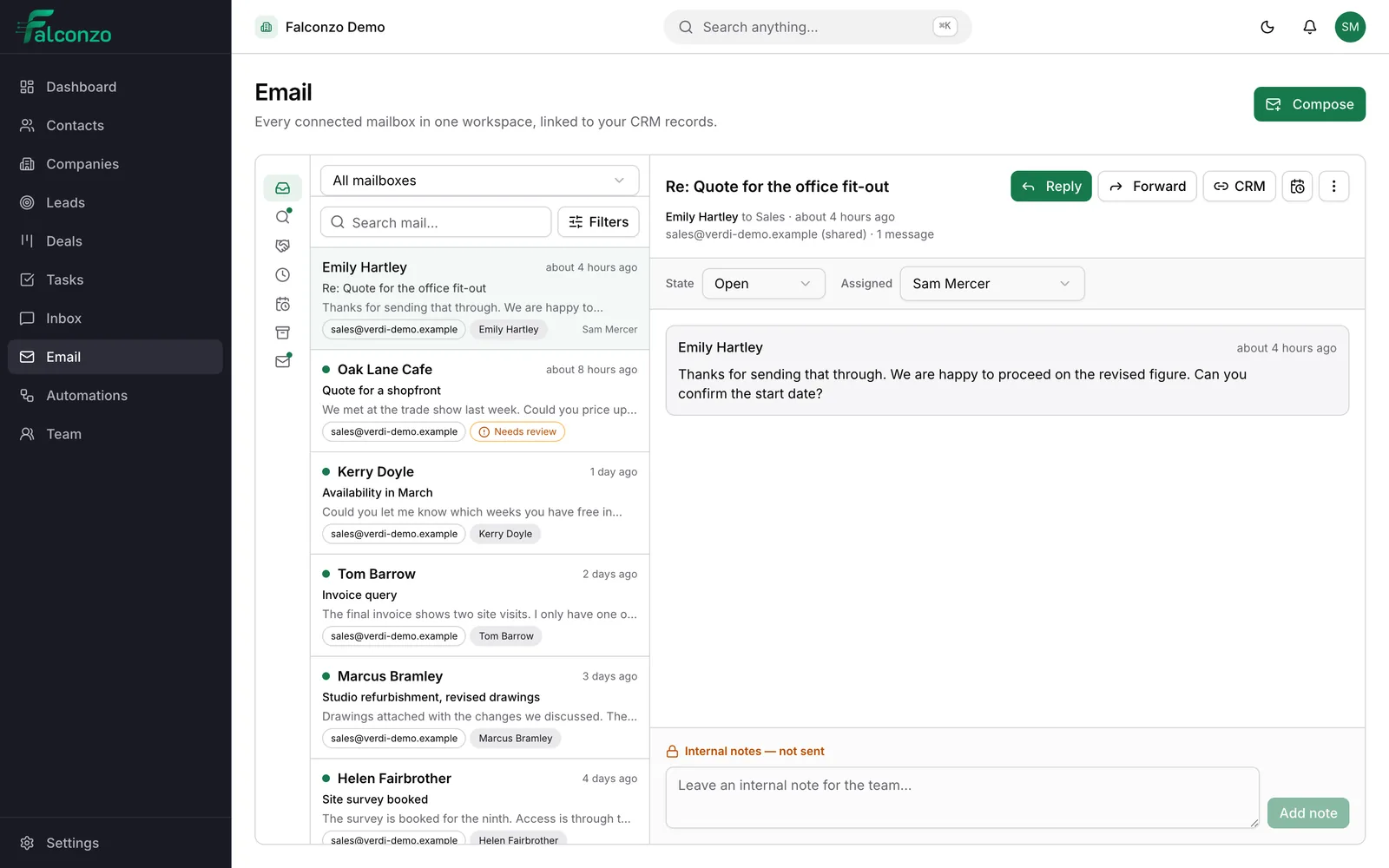
A customer record with no conversation on it is half a story. Falconzo connects each person's mailbox and your messaging channels, then matches threads to the right contact, company, lead or deal using the address they came from.
Where the match is certain it is made for you. Where it is ambiguous, Falconzo offers it as a suggestion for a person to confirm or dismiss, because a wrong link is worse than no link at all.
- Gmail and Google Workspace, Microsoft 365, Zoho Mail, Yahoo Mail, and any mailbox over IMAP and SMTP
- WhatsApp, Facebook Messenger and Instagram direct messages in a shared inbox
- Personal mailbox contents stay visible only to the person who connected them
- Shared conversations carry a team state, an assignee and internal notes
Where your conversations come from
Falconzo is a CRM with the messaging built in rather than bolted on afterwards.
Email
Each person connects their own mailbox. Threads are matched to the right record by email address, and personal mail stays personal.
Shared inbox
Messages from several channels in one queue, with a team state, an assignee, and internal notes that are never sent out.
WhatsApp
Reply to customers on the app they chose to message you on, from the same screen as everything else.
Messenger and Instagram
Facebook and Instagram conversations arrive in the shared inbox and can be linked to the customer they belong to.
Lead forms
Facebook and Instagram lead forms create leads in Falconzo, so an enquiry does not sit unread inside an advertising account.
Automations
Rules that run when a record changes, a form is submitted or an email arrives, and then create or update records for you.
Kept tidy as the list grows
A CRM is only useful while the data inside it is believable. These are the parts that keep it that way.
Duplicate detection
Falconzo flags records that look like ones you already have and gives you a screen to merge them, so one customer does not quietly become four.
Import and export
Bring your existing list in from a CSV file, and take your data back out the same way whenever you want it.
Audit log and field history
Every change is recorded with who made it and when, and each field keeps its own history. Arguments about who altered the price end quickly.
Tags and saved views
Group records the way you already think about them, then save the list you keep coming back to instead of rebuilding it every morning.
Roles and permissions
Decide what each person can see and change. Someone in their first week does not need the ability to export everyone you have ever sold to.
Notifications you control
Say what you want to be told about and turn off the rest, so the alerts that do arrive still count for something.
What this adds up to
You can answer the questions that used to need a meeting. Who is looking after this customer. What did we quote them in March. What is genuinely open this month, and what has been stuck for a fortnight.
New people become useful faster, because the record tells them what happened instead of a colleague having to remember it. And when someone leaves, the relationship stays with the business rather than walking out in a phone.
Most teams start with contacts and companies, add a pipeline that matches how they sell, then shape the rest with custom fields once they can see what they keep writing in the notes.
See Falconzo with your own customers in mind
Book a walkthrough and we will set it up around the way you sell, using a sample of your own list rather than demo data.