
Automations
The follow-up that no longer depends on somebody remembering
A Falconzo workflow runs when something happens: a record changes, a lead form is submitted, an email is sent, received, replied to, linked to a record or fails to deliver. Then it does the small things a busy week swallows.
Why the small steps are the ones that get missed
Nobody forgets the big things. Deals are lost on the two-minute jobs that were nobody's in particular.
Setting the owner on a new enquiry. Chasing a quote three days later. Checking why an email bounced. None of it is difficult, and all of it is the first thing to go when the phone is ringing.
The usual answer is a rule everyone agrees to follow, which works until the week somebody is off. The habit breaks quietly, and the first sign is a customer who was never called back.
A workflow makes the step part of the event rather than part of somebody's memory. When the thing happens, the follow-up exists, and it has a name and a date on it.
What a workflow is made of
One trigger that says when, and the steps that say what happens next.
Triggers you already recognise
A workflow runs when a record is created or updated, when a lead form is submitted, or when something happens to an email.
Email events included
An email being sent, received, replied to, linked to a record or failing to deliver can each start a workflow.
Lead forms as a starting point
A Facebook or Instagram lead form submission can set the first steps in motion at nine in the evening as easily as at nine in the morning.
Steps that create and update records
A workflow can create a record or update one, so an owner gets set, a status moves on and nothing waits for somebody to do it by hand.
Follow-up work, scheduled
The most useful step of all: a task with a due date and a name against it, created the moment the thing that needs chasing happens.
Nothing happens out of sight
Workflows create and update the same records your team works on, so the result shows up on the record and in somebody's task list, not in a black box.
Three worth setting up in the first week
Small, obvious and immediately useful. None of them changes how anybody works.
Never leave a new enquiry unowned
When this happens
A lead form is submitted
Someone sends your Facebook or Instagram form.
Then
The lead gets an owner
The enquiry belongs to a named person from the first minute.
Then
A call-back task is created
Due first thing tomorrow, on that person's list.
Catch the email that never arrived
When this happens
An email fails to deliver
The quote you sent never reached anybody.
Then
A task is created to check the address
Assigned to the record owner, due today.
Keep a deal moving between stages
When this happens
A deal is updated
It moves into the stage where a site visit is arranged.
Then
The next task is scheduled
Book the visit, owned by whoever owns the deal.
Building one, from the problem to the result
A single workflow, followed from the reason it exists to the day it saves a deal.
Start from the thing that keeps going wrong
Take an office fit-out company. Quotes go out and then nothing happens. Nobody decided to stop chasing them, but Tuesday's quote is forgotten by Thursday and the customer is left to make their own mind up.
Choose the trigger
The moment worth catching is the quote leaving. The workflow runs when an email is sent from a connected mailbox, which is something that already happens every day without anyone changing how they work.
Add the steps
One step is enough to start: create a task called Chase the quote, due in three days, owned by the person who sent it. Steps can also create and update records when the situation calls for it.
Switch it on
There is nothing to install and no code to write. From now on the workflow runs whenever the trigger happens, whoever it happens to.
Tuesday: the quote goes out
A salesperson emails the quote from Falconzo. Because the customer's address is on their contact record, the thread is linked to that customer, and the workflow runs.
Friday: the chase is on somebody's list
The task is waiting with the customer's name on it and the quote thread one click away. The salesperson can read exactly what was sent before picking up the phone.
The customer replies, and the deal moves
Their reply arrives and is linked to the same record. A second workflow runs when an email is linked to a record and creates a task for the deal owner to update the stage, so the pipeline reflects the conversation rather than lagging a week behind it.
Everything it did is where you would look anyway
The tasks are in the task list, the changes are on the records, and the notifications arrive like any others. Nothing is hidden in a separate system that only one person understands.
Deliberately simple
Small automations you can still explain to a new starter
Falconzo workflows are narrow on purpose. They react to something happening, they create and update records, and they schedule follow-up work. That covers most of what a small team actually wants automated.
The benefit of that restraint is that nobody is afraid of them. A workflow does what its name says, the results appear on ordinary records, and anyone with the right permission can read it, change it or switch it off.
It also means the customer-facing work stays human. Falconzo will make sure the call-back exists and has an owner. Making the call is still your team's job, which is the part your customer cares about.
- Triggers on records created and updated, lead form submissions, and email events
- Steps create records, update records and schedule follow-up work
- Results appear on the records and task lists your team already uses
What you end up with
The routine parts of following up stop being a test of memory. Every enquiry has an owner, every quote has a chase date, and a message that failed to reach somebody gets noticed the same day.
Your process becomes something the software holds rather than something you retrain people on. New starters inherit it, holidays do not break it, and busy weeks look much like quiet ones from the customer's side.
Related pages

Emily Hartley
Verdi Interiors
The connected mailbox behind the email triggers, and how threads get linked to records.
Read more
Request a quote
Emily Hartley
[email protected]
Office fit-out
New lead created
Meta lead forms
Facebook and Instagram submissions that become leads and start workflows.
Read moreTasks
The follow-up work a workflow schedules, with an owner, a type and a due date.
Read moreEmily Hartley
Operations Director
- Company
- Verdi Interiors
- Owner
- Sam Mercer
- Service type
- Fit-out
Leads
Status, source and ownership, which are the fields most workflows end up setting.
Read moreBramley Fit
£9,400
Oak Lane Cafe
£1,150
Fairview Lettings
£12,300
Ridgeway Motors
£3,400
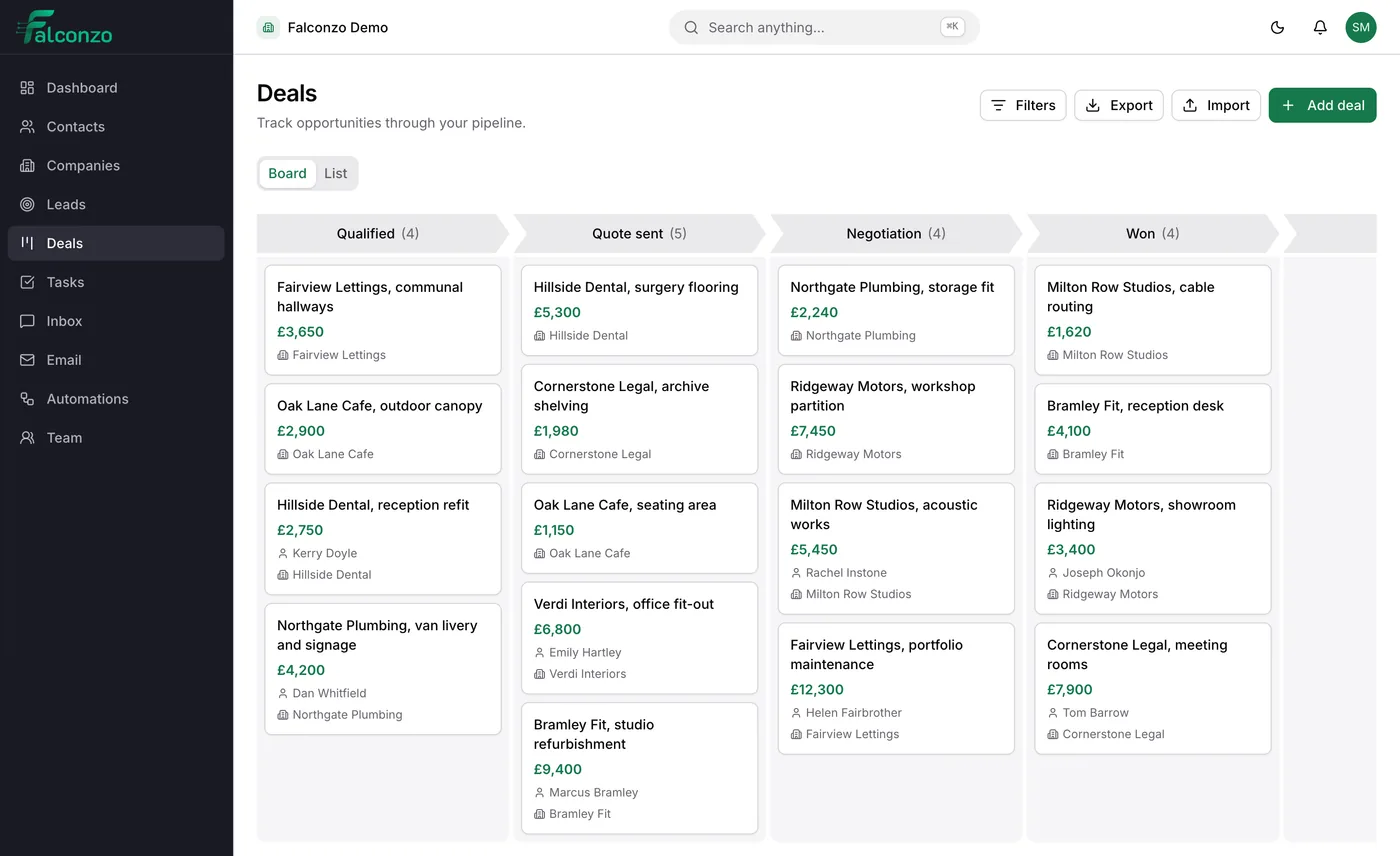
Deals
Pipelines and stages, and the updates that keep them honest.
Read more



Shared inbox
Where the conversations behind all of this arrive and get answered.
Read moreWork out which three workflows you need
Book a walkthrough and we will go through where follow-up currently depends on somebody remembering, and what would catch it instead.